
Download HEIF Image Extensions – HEIF, HEIC, image, photo, Windows, extension, codec, format, compression, high-quality
Overview
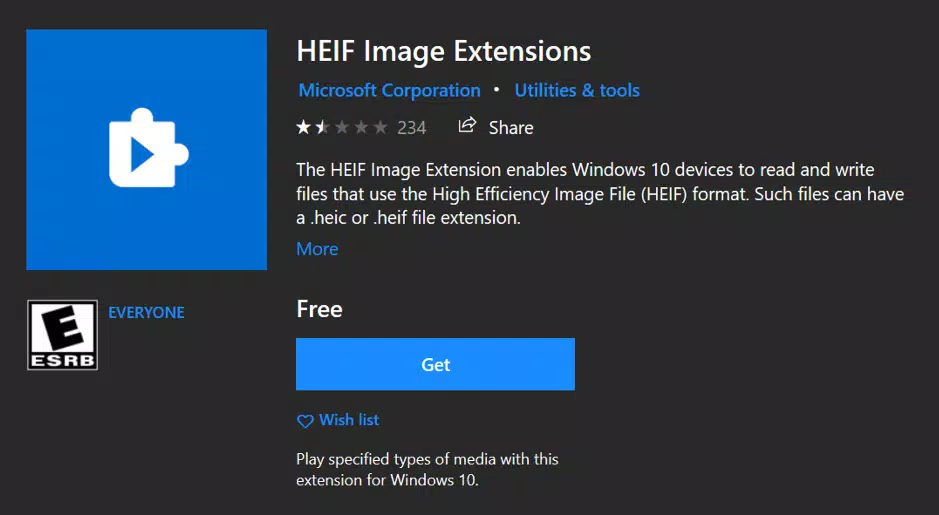
The HEIF Image Extensions app is a lightweight utility developed by Microsoft, designed to enhance native image compatibility on Windows devices. Its primary purpose is to enable users to open, view, and interact with photos stored in the HEIF (High Efficiency Image Format) and HEIC file formats directly within the built-in Windows Photos app. These formats, known for superior compression and image quality, are widely adopted by modern smartphones—particularly iPhones—where they serve as the default image capture standard. By installing this extension, users gain access to high-resolution photos without relying on third-party software, streamlining the workflow for individuals managing media from multiple devices.
The app addresses a common challenge in cross-platform photo sharing: users often receive HEIF or HEIC images that fail to open on older or non-optimized Windows systems. This extension eliminates the need for external converters or image viewers, offering a seamless, native experience. It is especially valuable for photographers, content creators, and everyday users who frequently exchange media with iOS device owners. While the developer did not provide additional technical details about performance or user demographics, the app’s role in bridging ecosystem gaps is clear. It supports a future-proof format that combines high fidelity with reduced storage demands, aligning with broader industry trends toward efficient media handling.
Key Features & Functionality
- Native HEIF/HEIC Support: Enables Windows to natively render images in HEIF and HEIC formats, allowing direct viewing in the Photos app without additional software.
- Advanced Compression Technology: Leverages the same encoding algorithm as HEVC, achieving up to 50% smaller file sizes than JPEG while preserving or enhancing visual quality.
- Multi-Format Compatibility: Supports not only static images but also layered content such as text, audio, interactive elements, and animations embedded within HEIF files.
- Seamless Integration: Works directly within the Windows Photos app, ensuring a consistent user experience across the operating system.
- Future-Ready Format Access: Prepares users for continued adoption of HEIF by major device manufacturers and platforms, ensuring long-term compatibility.
For example, a user receiving a high-resolution photo from an iPhone can open it immediately in Windows Photos after installing the extension. Similarly, content creators managing large photo libraries benefit from reduced storage usage without compromising image clarity. The extension does not modify files—its sole function is to decode and display them—making it a safe, non-invasive tool for media access.
Interface, UX & Performance
The HEIF Image Extensions app features a minimalistic interface consistent with Microsoft’s design language for system utilities. It does not include a standalone user interface beyond the installation prompt and system integration. Once installed, the extension operates invisibly in the background, activating automatically when a HEIF or HEIC file is accessed.
Navigation is entirely handled through the native Windows Photos app, which maintains its standard layout and controls. Users experience no disruption to their usual workflow—there are no additional menus, settings, or pop-ups. The extension is designed for transparency and ease of use, requiring no configuration after installation.
Although the developer did not list formal performance metrics, the small file size of 3.5 MB suggests a lightweight footprint. It is expected to load quickly and operate efficiently across a range of Windows devices, including lower-end systems. Responsiveness is maintained through deep OS integration, and stability is ensured by Microsoft’s rigorous testing standards. The extension does not consume significant system resources during operation, making it suitable for everyday use without impacting device performance.
Platform Compatibility & Technical Requirements
HEIF Image Extensions is available exclusively for the Windows platform. It is designed to run on Windows operating systems, though specific version requirements were not listed. The app has a file size of 3.5 MB, indicating a compact installation that minimizes storage impact.
Compatibility information was not fully disclosed. Users should ensure their system meets general Windows requirements for running modern apps. The extension may require the HEVC Video Extensions to be installed for full functionality with HEIC files, but this dependency was not explicitly stated. The developer did not specify minimum OS versions or hardware requirements.
Pros and Cons
Pros
- Free to download and install, with no in-app purchases or subscriptions.
- Lightweight size (3.5 MB) ensures minimal storage usage.
- Seamless integration with the native Windows Photos app.
- Enables viewing of modern image formats used by iPhones and other devices.
- Supports advanced features like embedded audio and interactive content.
Cons
- Specific system requirements were not disclosed.
- Does not support editing or conversion of HEIF/HEIC files.
- Requires additional HEVC codec for full HEIC support (if not already installed).
- No user interface beyond installation and system integration.
- Not available on mobile platforms such as Android or iOS.
FAQ
Is HEIF Image Extensions safe to install?
Yes. The app is developed and distributed by Microsoft, a trusted software provider. It does not contain malware or unwanted behavior and operates within standard Windows security protocols.
Do I need to install anything else to use HEIF Image Extensions?
For full functionality with HEIC files, the HEVC Video Extensions may need to be installed separately. This is not included in the HEIF Image Extensions package and is typically available through the Microsoft Store.
Can I use this app on Android or iOS?
No. HEIF Image Extensions is designed exclusively for Windows. It is not available for Android or iOS devices.
Does this app modify my photos?
No. The extension only enables viewing of HEIF and HEIC files. It does not alter, convert, or store any user data.
How often does HEIF Image Extensions receive updates?
Updates are released by Microsoft as needed to maintain compatibility with new Windows versions and image standards. The latest version is 1.0.0.0, released on September 25, 2023.
Final Thoughts
HEIF Image Extensions is a practical, no-frills solution for Windows users who regularly encounter high-efficiency image files. Its seamless integration with the native Photos app, combined with robust support for modern image formats, makes it an essential tool in today’s multi-device ecosystem. While it lacks advanced editing features or a standalone interface, its core purpose—enabling native viewing of HEIF and HEIC images—is executed flawlessly.
For photographers, digital archivists, and anyone sharing media across platforms, this extension removes a common barrier in cross-platform compatibility. It offers a secure, lightweight, and future-ready way to access high-quality images without relying on third-party tools. The free availability and official Microsoft backing further enhance its credibility and reliability.
Download HEIF Image Extensions now to ensure your Windows device can open the next generation of digital photos with ease.


